

I went to upload new pictures into my WordPress media library this morning, to find I had reached the 6gb limit and have to upgrade my plan to be able to continue with my blog! That is going to be expensive and I have to judge whether it’s worth it. The alternative is to free up space by deleting dozens of photos in my media library, but if I do that the pics will disappear from the past posts in which they featured. Sneaky! So I have no choice but to select Six photos from this time last year while I decide what to do. If anyone has any bright ideas or hacks to increase my media library, do please get in touch asap.
Meanwhile, the Wisteria sinensis ‘Prolific’ is now in full flower and looks exactly like this pic from this time last year. The scent is overpowering and I am grateful to Mother Nature for keeping the late frosts away so I can enjoy the wonderful flowers and fragrance.
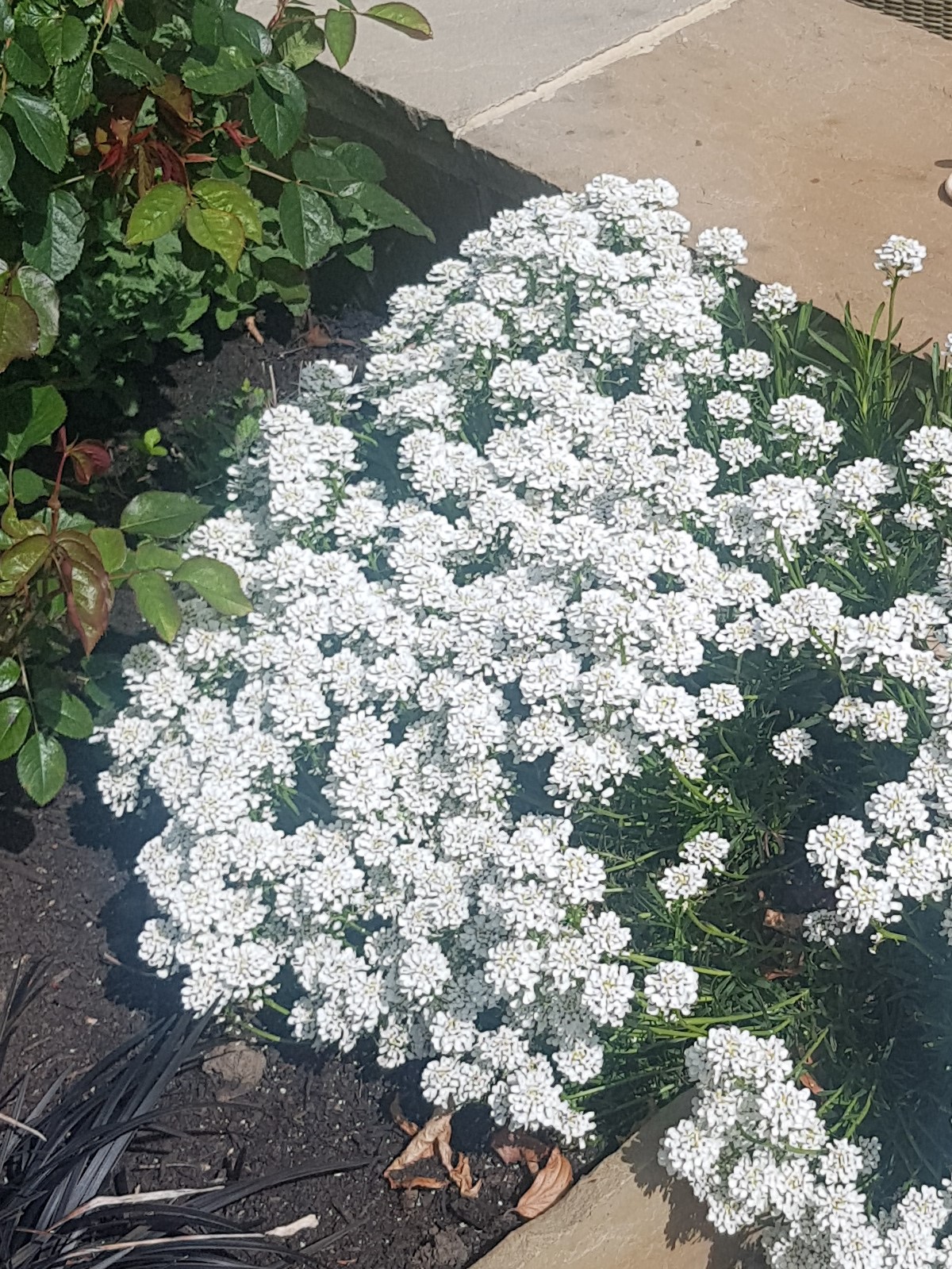
The Iberis sempervirens or Perennial Candytuft, is shining brightly in the sunshine and billowing over the low wall and down the steps as intended. This makes a pleasant change as most of my plants turn out to have different ideas to what was intended!

The hybrid bluebells are back! I thought I had managed to remove all the bulbs last year but obviously not. They are growing in the gravel margin up against the wall of the bungalow so there is no soil at all. I removed the gravel, sifted through and removed dozens of bulbs, but just as many have returned!
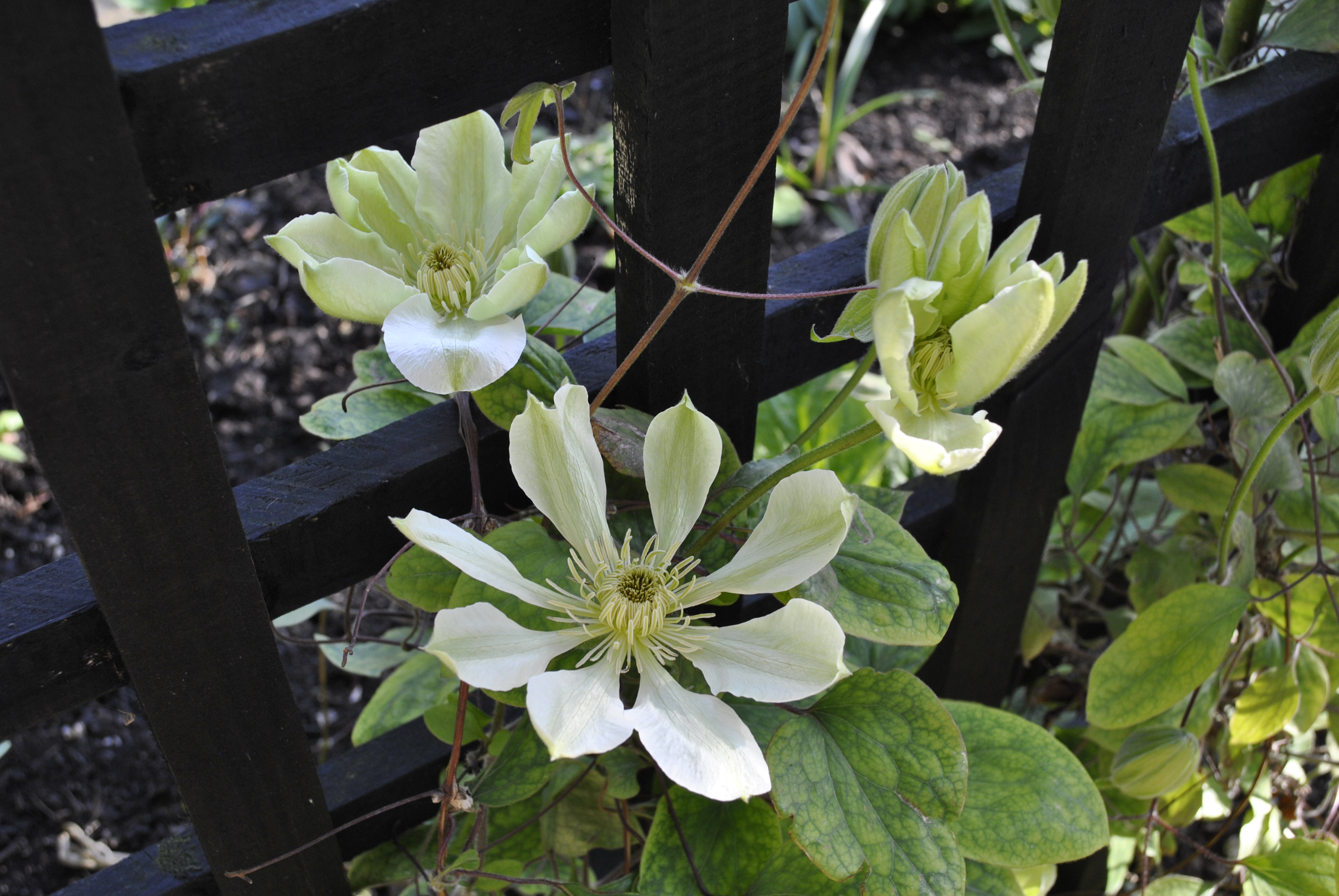
Clematis ‘Guernsey Cream’, a Group 2 variety, is now flowering with it’s unusually separated flower petals like a cartwheel. I find it a rather weak grower and nowhere near as abundant or vigorous as the Group 1 types I have, ‘Wisley Cream’ and C. cirrhosa ‘Freckles’, but it provides some colour in a dark corner while I am waiting for the roses to bloom.

I am pleased to say that all my dahlias survived their winter hibernation in the shed and are now romping away. The tubers were stored in Strulch, a lightweight, dry, mineralised straw which I use to dress the Tradescantia beds in the Spring, and it seems to have been an ideal product for the purpose. Now potted up again in JI No.3, watered and snuggled up in the greenhouse until mid-May when they will be put in the ground. I nip out the tops at this stage to keep them shorter and bushier. It holds the flowers back slightly but there are more of them eventually.

Finally, a warning about this grass, Milium effusum ‘Aureum’ or Bowles’s Golden Grass, which I first saw at one of the many NGS garden openings we have in Gloucestershire in May & June. The owner said it brightened up dark corners and “gently spread around”. On that basis, I purchased a small pot and placed it in a dark corner, from where it has decided to “gently spread” to every corner, crack and crevice in the garden! It is rather beautiful, and does brighten up dark corners but it also seeds like crazy, You have been warned!
I apologise that these are not photos from my garden this week as is the SoS protocol, but I am hoping normal service will be resumed next week. There is a lot of gardening photography coming up! If any of my followers are WordPress experts and can offer any advice on my current dilemma, I would be grateful to hear for them please.
Have a great weekend
David
 Davids Garden Diary
I use a (no longer available) package to reduce the size of my photos before I upload them. The downside is that it does impact the photo quality but makes a huge difference to the amount of storage space my blog needs. Up to now I’ve only used 3% of my 3 GB.
I also use the (free) FastStone Image Viewer to import my photos from my camera and phone, that has a resizing feature although I’ve not used it yet (old habits die hard!). I’m so pleased with FastStone that I did pay for it in the end, they aren’t paying me to say this!
Thanks for the advice Helen. I have now taken the difficult and painful decision to delete hundreds of images from my media library in order to free up space. Everything uploaded prior to 2020 has gone! I will make sure from now on that I put my selected blog photos into a separate folder so I know where they are in case this ever happens again. Thanks also for the tip on FastStone. I have watched a YouTube video about the resizer and I will download the programme and have a go!
I don’t think you had much choice except to do what you’ve done, painful as it has been. I hadn’t realised your blog went back as far as that – far too many photos even for a batch resizer.
At least from now on you should be able to reduce the upload sizes and maybe not hit this problem again (fingers crossed!)
My suggestion is to keep any photos that you really like elsewhere on a computer file. Then consider how many of the older posts actually get visitors anymore, or that you yourself look back on. You can look at your WordPress stats to see which posts people drop in on. Then either delete posts older than a year, say, or two if that hurts. Or just delete the photos from posts of a similar age.
I had to do it a while ago, it feels like cutting off a body part, but I have yet to have anyone leave a message on an old post saying that the photos are missing.
Hi Rosie. As I have just said to Helen, I have now deleted hundreds of photos from 2009 to 2019 in order to free up space. From now on I will do as you say and copy the selected photos to a separate folder so I have a complete record of which images were used. It was difficult and painful but had to be done! Thanks for your advice.
At the risk of sounding like an advert for FastStone, they also do a free photo resizer which allows batch resizing (the Image Viewer does that too so I’m not sure what the difference is).
The images thing happens to me frequently. I save my photos on the computer first, resize them to 50%, then upload them to my WordPress post. I use a free blog so I only have around 3 mb, so I have become ruthless. As Rosie says, who revisits our old posts? I delete any images more than 2 years old – then go through the Six on Saturday blogs and delete those too. That way I seem to keep on top of things. And if I ever need a comparison photo from an earlier year, I just upload it again. Hope you manage to sort it out.
It was painful to do, but I have just deleted hundreds of photos used in posts prior to 2020 which, sad though it is, are probably no longer required. Thanks for helping me make the difficult decision! Good suggestion to reduce the file size by 50%, I had never thought of that.
Ple
Plenty of good advice above. Or you could sell the Bentley and pay the extra 😂
If only!
😂
I made the same mistake as you with Bowles golden grass. It has a nasty habit of coming up in the middle of other plants and is pretty difficult to pull out. It’s pretty enough but nearly always choses to grow where I don’t want it.
I am a total freeloader! I delete old posts and most old pictures, as I have all the photos saved on my computer. I don’t upload full sized images, I think I go with 70%. I might save a recipe related post at least until I verify I have it saved somewhere. There may be a more elegant solution, but I don’t have time to sort that stuff out.
Forgot to say I love the wisteria and the clematis!
Thanks again! Hopefully all sorted now.
It works to save photos on my computer and I use editing software to reduce the size and store them in a “Wordpress” folder. From there I load them onto the blog.
As some others have mentioned, that Wisteria is beautiful! And, wow, that Clematis is special. I reduce the size of my photos, but I also upload them to a Flickr account for storage first before posting them on my blog. I think that gives me a little more flexibility.
Hi Beth and thanks for your feedback, much appreciated. One way or another I will maintain both the full and reduced resolution images, the original by date order and the reduced in a ‘Blog photos’ folder so that I keep both in the cloud and backed up on my computer.
My sympathy regarding the bluebells, I have a similar battle.